1. Introduction: Navigating the GPU Maze
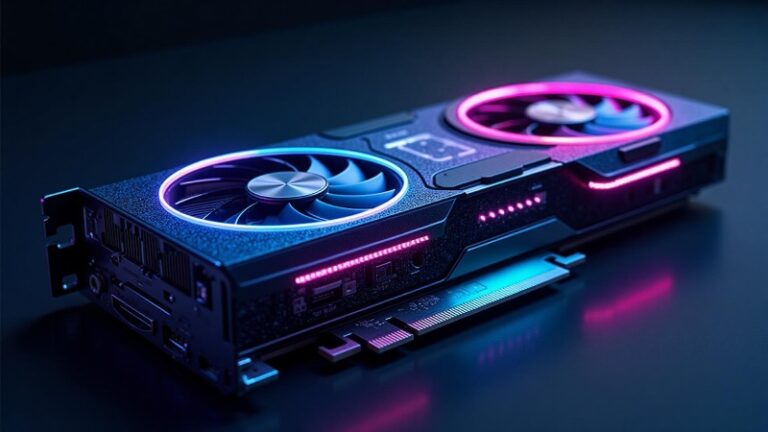
“Where does your GPU rank in Tom’s Hardware GPU hierarchy?” – this question dominates gaming forums and professional workflows alike. Tomshardware.com’s legendary GPU hierarchy chart is the go-to guide for comparing gaming performance across generations. But while these rankings matter for 1440p frame rates or ray tracing settings, they tell only half the story. As AI reshapes industries, a new GPU hierarchy emerges – one where raw specs meet intelligent orchestration. For enterprises deploying large language models, solutions like EmergingAI redefine performance by transforming isolated GPUs into optimized, cost-efficient clusters.
2. The Gaming GPU Hierarchy 2024-2025 (Tomshardware.com Inspired)
Based on extensive testing from trusted sources like Tomshardware.com, here’s how current GPUs stack up for gamers:
Entry-Level (1080p Gaming)
- NVIDIA RTX 4060 ($299): DLSS 3 gives it an edge in supported games.
Mid-Range (1440p “Sweet Spot”)
- RTX 4070 Super ($599): Superior ray tracing + frame generation.
High-End (4K Elite)
- RTX 4090 ($1,599): Unmatched 4K/120fps power, 24GB VRAM.
Hierarchy Crown: RTX 4090 remains undisputed.
Simplified Performance Pyramid:
Tier 1: RTX 4090
Tier 2: RTX 4080 Super
Tier 3: RTX 4070 Super
3. GPU Memory Hierarchy: Why Size & Speed Matter
For Gamers:
- 8GB VRAM: Minimum for 1080p today (e.g., RTX 4060 struggles in Ratchet & Clank).
- 16-24GB: Essential for 4K/texture mods (RTX 4080 Super’s 16GB handles Cyberpunk maxed).
For AI: A Different Universe
- Gaming’s “King” RTX 4090 (24GB) chokes on a 70B-parameter LLM – *requiring 80GB+ just to load*.
- Industrial Minimum: NVIDIA A100/H100 with 80GB HBM2e – 3.3x more than top gaming cards.
- AI Memory Bandwidth: HBM3e in H200 (1.5TB/s) dwarfs GDDR6X (RTX 4090: 1TB/s).
“24GB is gaming’s ceiling. For AI, it’s the basement.”
4. When Consumer Hierarchies Fail: The AI/Compute Tier Shift
Why Gaming GPU Rankings Don’t Translate to AI:
- ❌ No Multi-GPU Scaling: Lack of NVLink = 4x RTX 4090s ≠ 4x performance.
- ❌ 24/7 Reliability Issues: Consumer cards throttle during weeks-long training.
- ❌ VRAM Fragmentation: Can’t pool memory across cards like H100 clusters.
Industrial GPU Hierarchy 2024:
Tier 1: NVIDIA H200/H100
- H200: 141GB HBM3e for trillion-parameter inference.
- H100: 80GB + FP8 acceleration (30x faster LLM training vs. A100).
Tier 2: NVIDIA A100
- 80GB VRAM: Budget-friendly workhorse for inference/training.
Tier 3: RTX 4090
- Only viable for prototyping or fine-tuning within managed clusters.
The $30,000 Elephant in the Room: Idle H100s waste ~$4,000/month. Unoptimized fleets bleed 40%+ resources.
5. EmergingAI: The Ultimate GPU Orchestration Layer
This is where EmergingAI transforms industrial GPU potential into profit. Our platform intelligently manages clusters (H100/H200/A100/RTX 4090) to solve critical AI bottlenecks:
Dynamic Hierarchy Optimization:
Automatically matches workloads to ideal GPUs:
- H200 for memory-hungry inference
- H100 for FP8-accelerated training
- A100 for cost-sensitive batch jobs
Slashes idle time via smart load balancing – reclaiming $1,000s monthly.
Cost Control:
- Rent/purchase enterprise GPUs monthly (no hourly billing).
- Predictable pricing cuts cloud spend by 50-70%.
Stability at Scale:
- 24/7 health monitoring + auto-failover ensures jobs run uninterrupted.
- Maximizes HBM memory bandwidth utilization across fleets.
*”EmergingAI creates a self-optimizing GPU hierarchy – turning $40,000 H100s from shelfware into AI powerplants.”*
6. Conclusion: Beyond the Chart
Tom’s Hardware GPU hierarchy guides gamers to their perfect card – such as a $1,599 RTX 4090. But in industrial AI, performance isn’t defined by a single GPU’s specs. It’s measured by how intelligently you orchestrate fleets of them.
“Consumer tiers prioritize fps/$. AI tiers prioritize cluster efficiency – and that’s where EmergingAI sets the new standard.”
Stop Wasting GPU Potential
Ready to turn NVIDIA H100/H200/A100/RTX 4090 clusters into optimized AI engines?
FAQs
1. How does Tom’s GPU hierarchy translate to AI performance?
While gaming performance focuses on frame rates and graphics fidelity, AI performance is measured in FLOPs and memory bandwidth. NVIDIA’s RTX 4090 sits at the top of the consumer hierarchy for both gaming and AI prototyping, while data center GPUs like the H100 dominate the professional AI tier due to specialized tensor cores and massive memory.
2. What’s more important for AI work: GPU tier or VRAM capacity?
Both are crucial, but it depends on your workload. Higher-tier GPUs like the RTX 4090 offer superior processing speed, while sufficient VRAM (like the 24GB on RTX 4090 or 80GB on H100) determines whether you can run larger models at all. For enterprise AI, EmergingAI provides access to high-tier NVIDIA GPUs with optimal VRAM configurations for specific use cases.
3. Can I use multiple gaming-tier GPUs for serious AI work instead of data center cards?
While possible, managing multiple gaming GPUs for production AI introduces significant complexity in workload distribution and stability. EmergingAI solves this by offering professionally configured multi-GPU clusters using NVIDIA’s full stack – from RTX 4090s for cost-effective inference to H100s for large-scale training – with intelligent resource management built-in.
4. When should a project move from gaming-tier to data center GPUs?
The transition point comes when you face consistent memory limitations, need error-correcting memory for production reliability, or require scale beyond what consumer hardware can provide. EmergingAI enables seamless scaling through our rental program, allowing teams to access data center GPUs like A100 and H100 without upfront hardware investment.
5. How does multi-GPU management differ between gaming and AI workloads?
Gaming SLI/NVLink focuses on graphics rendering, while AI multi-GPU setups require sophisticated workload partitioning and model parallelism. EmergingAI specializes in optimizing these complex AI clusters, automatically distributing workloads across mixed NVIDIA GPU setups to maximize utilization and minimize training times for large language models and other AI applications.